
How booking and follow-up
work in RxAgenda.
Follow the workflow from booking and check-in to a shared WhatsApp, Facebook and Instagram inbox. In the demo, we’ll show the interfaces and discuss your clinic’s setup.
Set up the clinic
We start with your workflow: working periods, booking mode, session capacity and reception responsibilities. The WhatsApp channel is designed around a dedicated booking number for each clinic.
- Define working periods and exceptions
- Choose the booking mode per period
- Assign reception team permissions
- Connect Facebook and Instagram alongside WhatsApp in the inbox
The patient chooses and books
Patients open the clinic link or contact its WhatsApp number. They choose an available slot or capacity in an arrival-order session, with the booking mode explained before confirmation.
- A timed appointment refers to a selected visit time
- Arrival order reserves session capacity; queue position comes at check-in
- The booking is confirmed before success is shown
Reception manages arrival and conversation
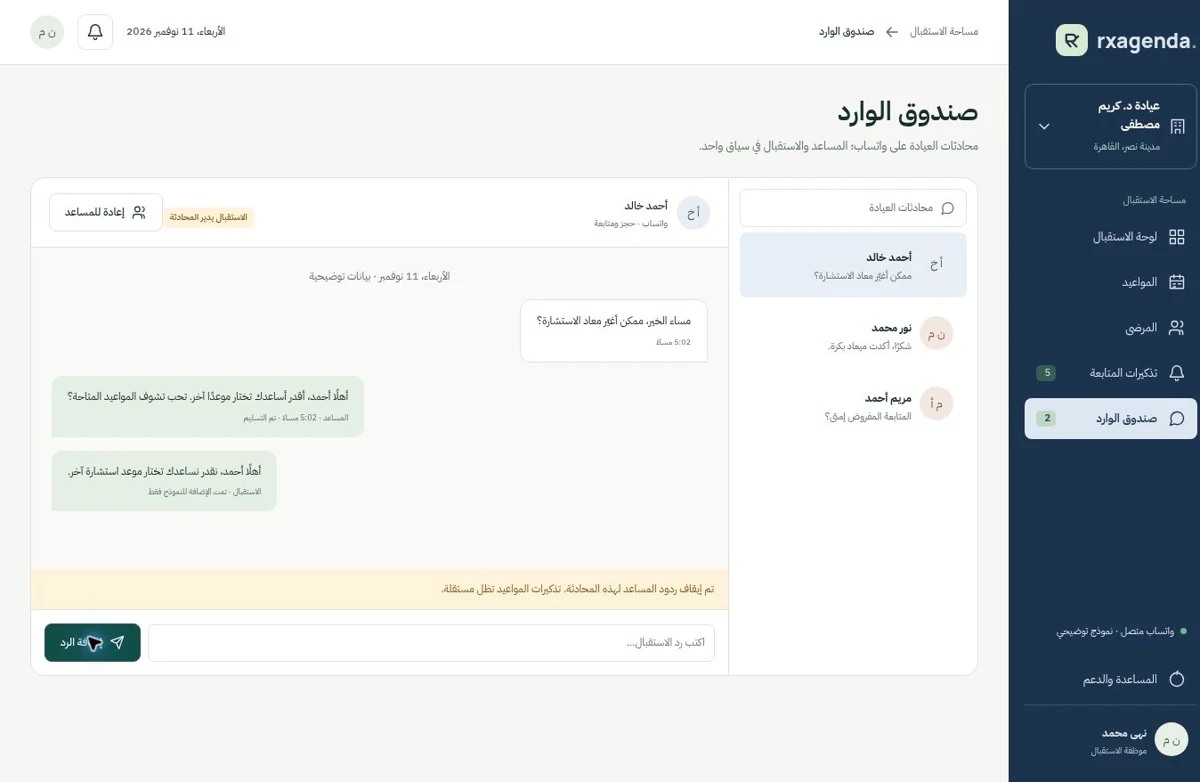
Staff view bookings and check patients in. WhatsApp, Facebook and Instagram messages come into one inbox for the doctor and reception team. In assistant-managed conversations, staff can take over when a patient needs a person.
- Arrival-order queue positions are assigned at check-in
- Takeover makes reply ownership visible
- Rescheduling and cancellation refer to the same booking
After the initial visit, remind patients to book their follow-up
After the initial visit, the doctor sets a follow-up date. The patient is invited to book and, once the follow-up is confirmed, receives a reminder with its appointment time. The recommended return date is not a confirmed booking.
- Configurable timing and clear patient consent
- Changes or cancellation invalidate the old reminder
- Delivery failure is visible for staff review
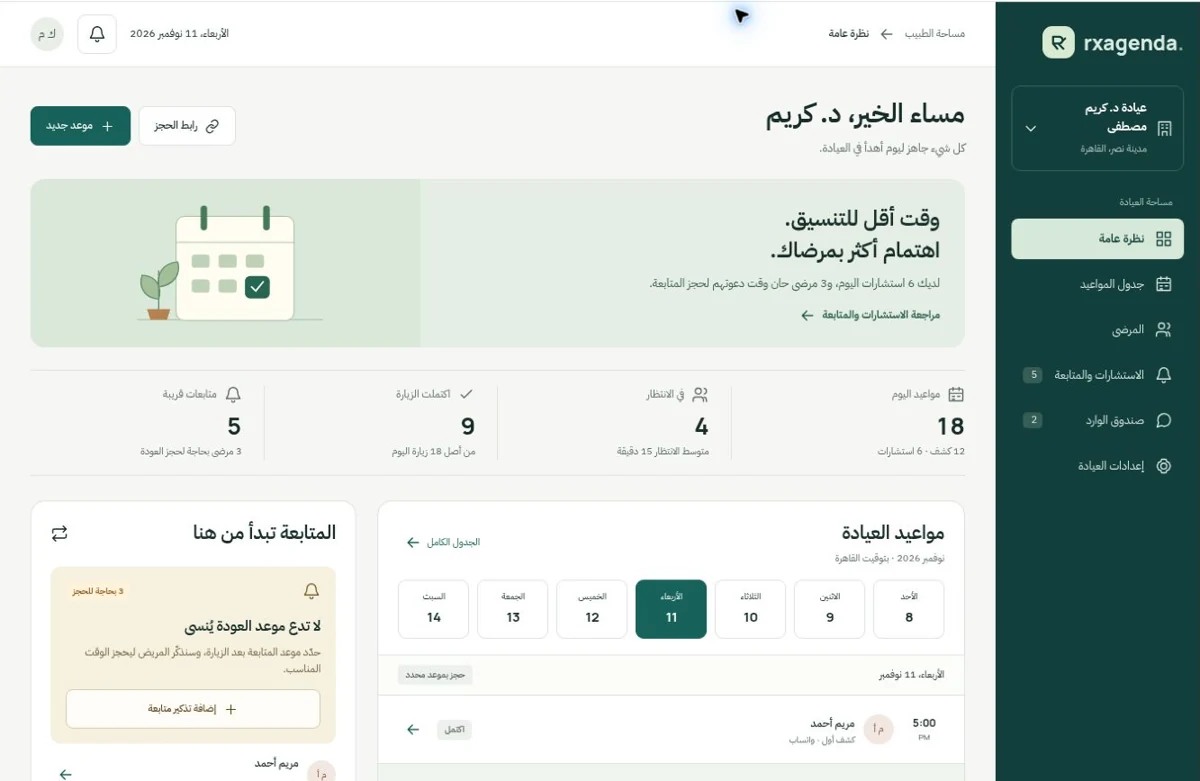
See the RxAgenda screens
Prototype screenshots with fictional data. Select an image to view it full size. The conversation mockup shows WhatsApp; Facebook and Instagram integration is explained in the inbox section.
See how it fits your clinic.
See booking, follow-ups and the unified WhatsApp, Facebook and Instagram inbox.